All TSD Expert features

Eight sections of the app on real screens.

01Scanner & search

Point and see it all

Phone camera, built-in terminal scanner or a Bluetooth scanner. The product is found in your 1C right away.

  • Search by barcode and name
  • “Scanner” list
  • Any scanner
  • Price and stock check
Learn more
Point and see it all
02Product card & photos

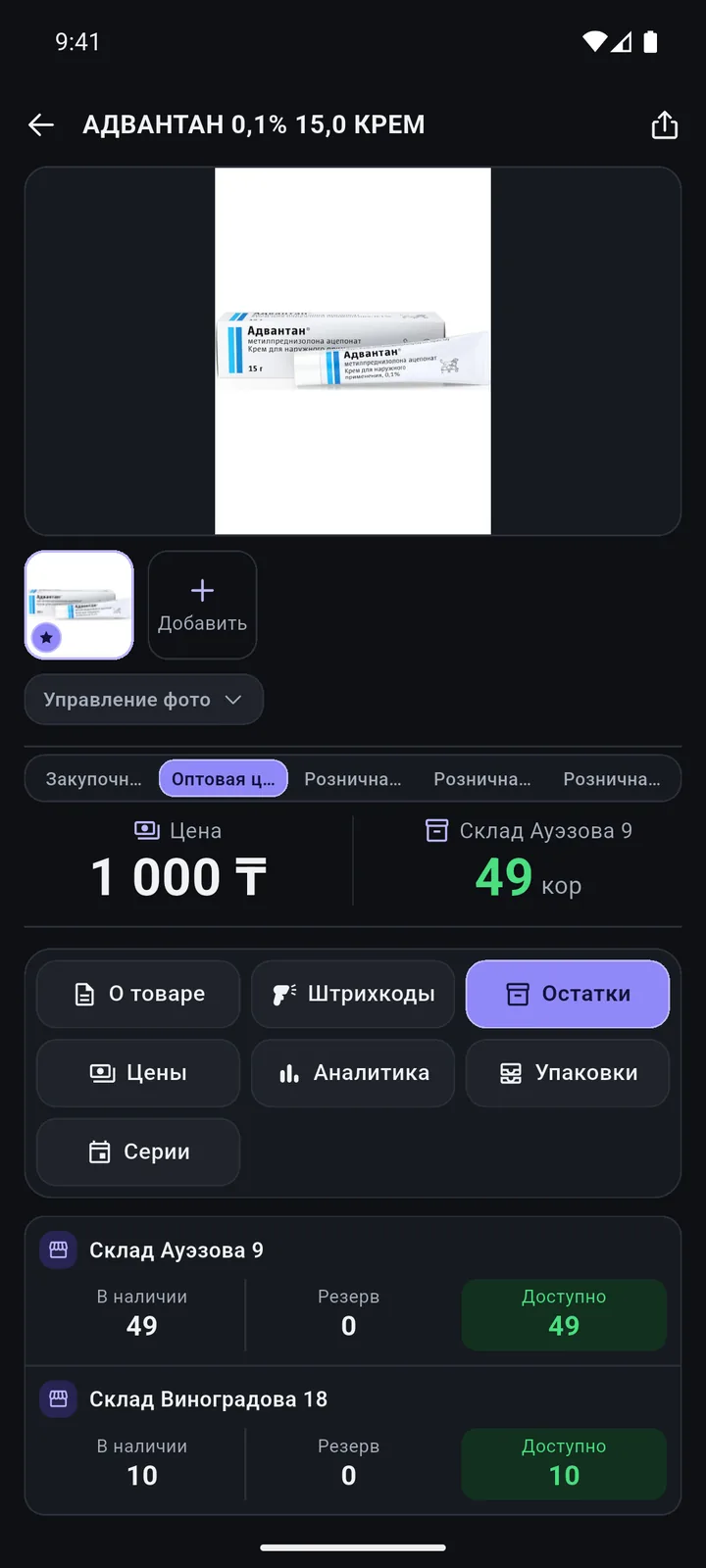
The whole product card — on your phone

Stock by warehouse, prices, batches and analytics. Changed a description, brand or package? Tap «Сохранить в 1С» (Save to 1C).

  • Stock by warehouse
  • All prices and history
  • Images from the web
  • Camera and gallery photos
Learn more
The whole product card — on your phone
03New product & catalogue

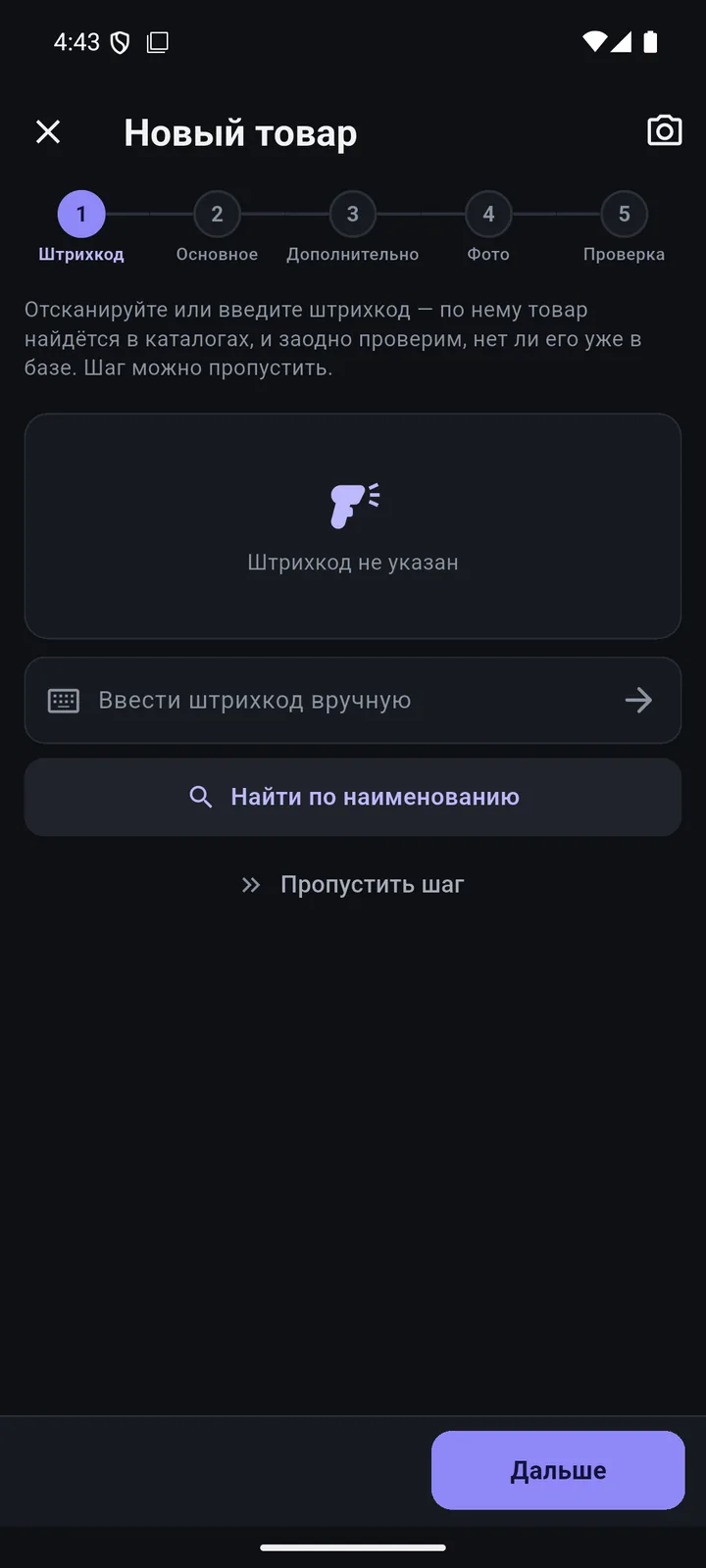
A new product in 5 steps — with a catalogue code

Barcode → main → extra → photo → review. The name, brand and code come from Kazakhstan’s National Catalogue of Goods.

  • Barcode and duplicate check
  • Fill from the catalogue
  • Group, type, unit, VAT
  • Photo and review
Learn more
A new product in 5 steps — with a catalogue code
04Documents at the shelfBeta

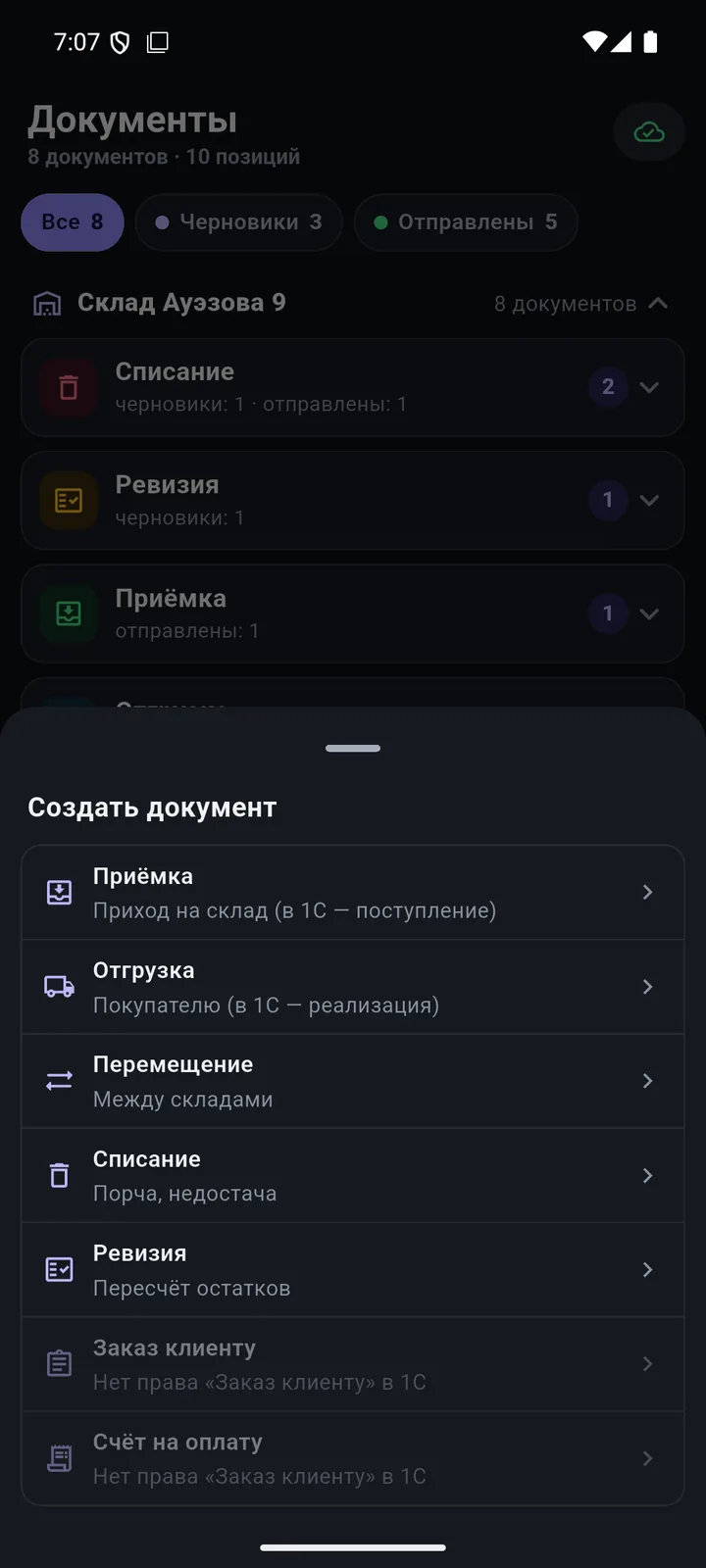
Build documents right at the shelf

Goods receipt, shipment, transfer, stock count, write-off. Scan products — the document goes to 1C.

  • 8 document types
  • Goods receipt from a supplier
  • “Done N of M” progress
  • Tasks from 1C
Learn more
Build documents right at the shelf
05Order, invoice & quote

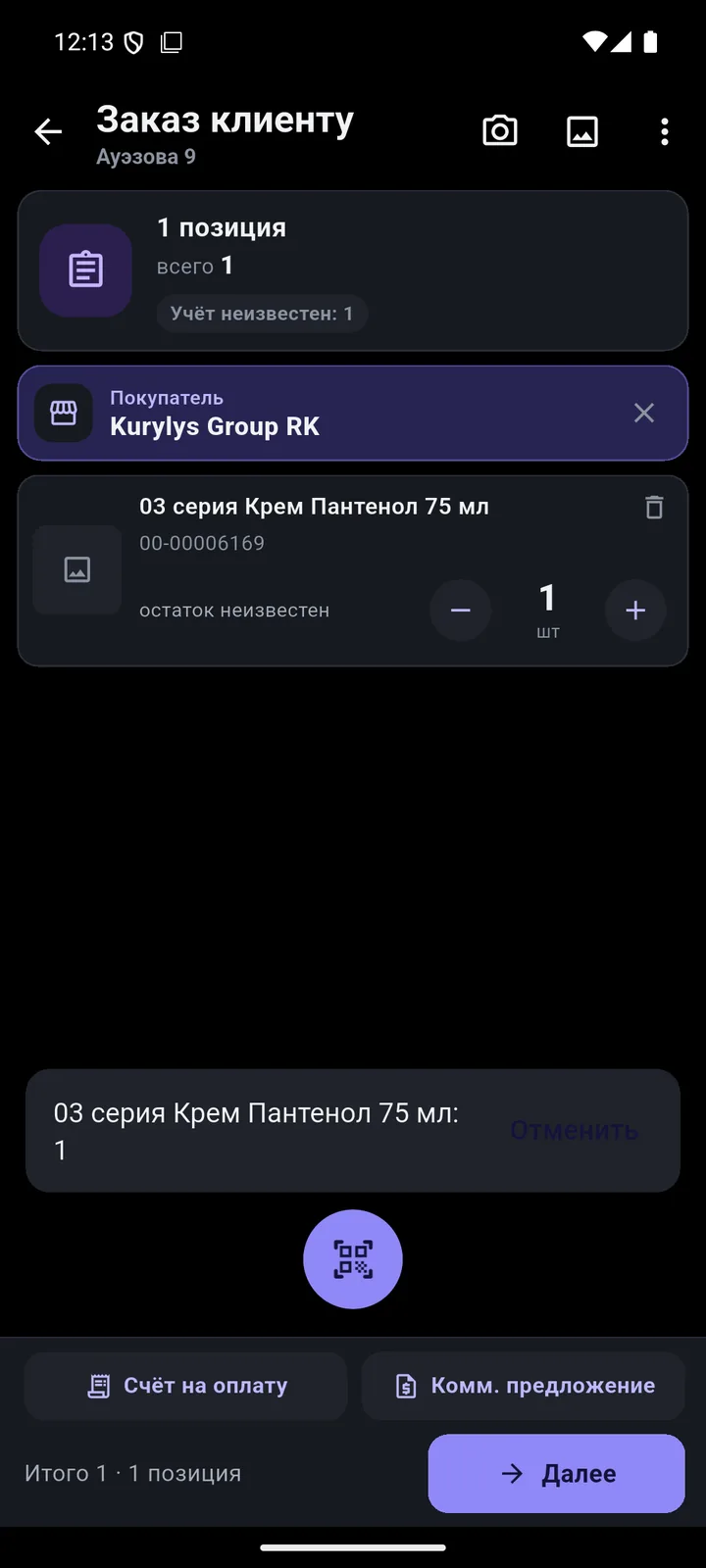
The customer is at the shelf — and already has the invoice

A customer order on the phone, an invoice and a commercial offer (quote) in PDF — in seconds, even offline.

  • Customer and supplier orders
  • Invoice in the Kazakhstan format
  • Quote with or without images
  • Send via “Share”
Learn more
The customer is at the shelf — and already has the invoice
061C exchange

And the document is already waiting in 1C

The phone works with your 1C directly. You see what was sent, what was posted and what was not — and why.

  • One tap — and it’s in 1C
  • “TSD Documents” in 1C
  • You decide how to post
  • Statuses on the phone
Learn more
And the document is already waiting in 1C
07Reports

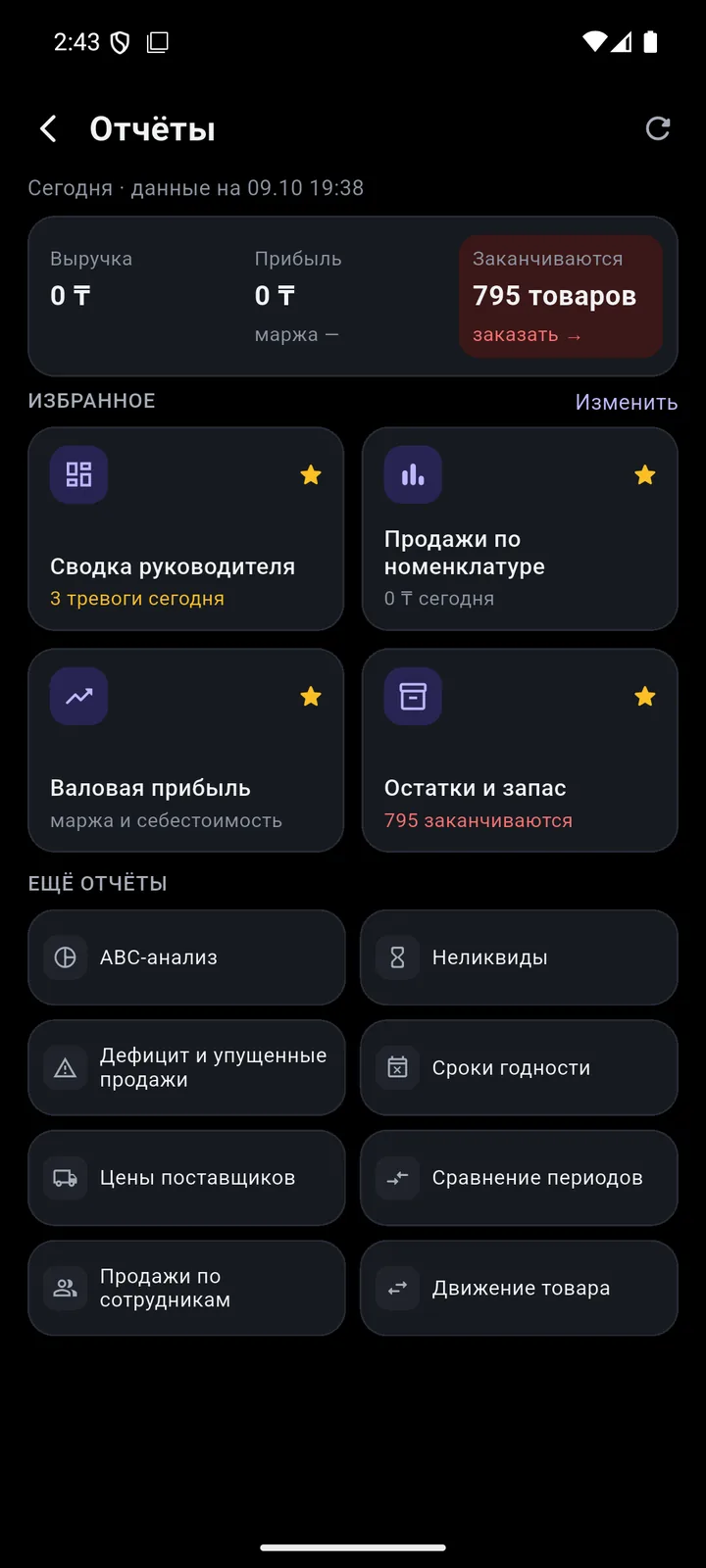
Revenue and margin — on the owner’s phone

12 reports built on your 1C data. Offline, they cover the last 6 months.

  • 12 reports and favourites
  • Manager summary
  • Gross profit
  • From report to document
Learn more
Revenue and margin — on the owner’s phone
08Permissions & sign-in

Everyone sees only what they need

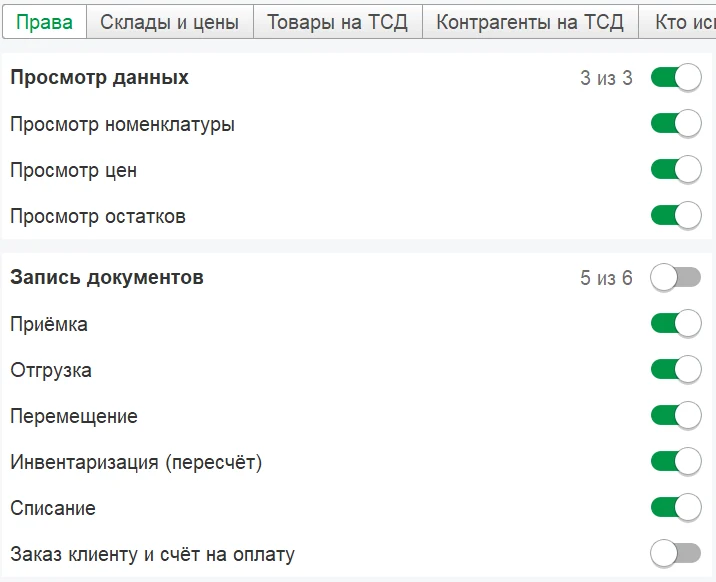
Staff permissions are set with checkboxes in your 1C. 1C passwords never reach the phone.

  • 17 checkboxes in a profile
  • Warehouses, prices, product filters
  • Permission-based home screen
  • QR and PIN sign-in
Learn more
Everyone sees only what they need
Catalogue

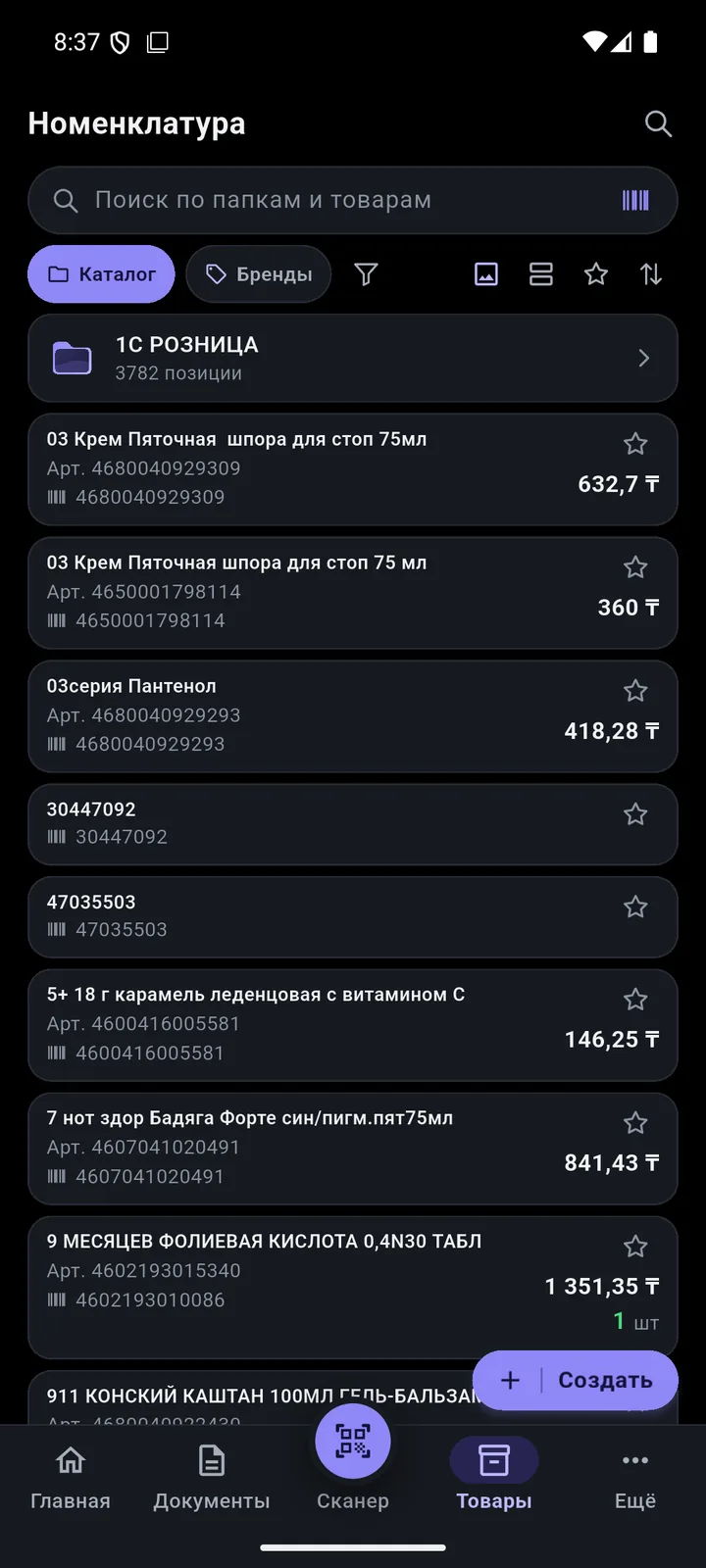
Keep your catalogue in order — from your phone

Groups, brands, filters and bulk editing of dozens of products at once.

Groups and brands from the phone 

Create a group, brand or country right at the shelf. Offline? They reach 1C on their own.
Bulk editing 

Select products and change type, unit, brand, manufacturer, country, VAT or packages.

Move to a group 

Move selected products to another group or to a new one created on the spot.

Filter by brand and attributes 

Availability, warehouse, brand, any attribute — including “not equal” and “does not contain”.

Document from selection 

Select products and create a goods receipt, transfer or order.

Product card for customers 

“Share” it as an image, an A4 PDF or text with the fields you need.

Favourites and folders 

Tiles in 2–3 columns or a list, sorting, no row limit.

Catalogue lookup for a group Soon

Fill all selected products from the National Catalogue at once.

Devices

Your smartphone is already a terminal

Start with the phone you have. Add a scanner when you need speed.

free

Android smartphone

Android 8 and newer. The camera scans EAN, UPC, Code128, ITF-14, DataMatrix.

faster

Android terminal

Built-in scanner in keyboard mode — most terminals will work.

affordable

Bluetooth scanner

Works with any phone: pair it in Android and start scanning.

soon

iPhone

An iOS app is planned.

Offline

Wi-Fi down? Work goes on

Documents, new products and photos wait in a queue and reach 1C on their own — exactly once.

  1. You workscan, create
  2. No networkeverything queued
  3. Network is backsent automatically
  4. In 1Cexactly once

Works offline

  • Catalogue, prices, stock, batches, images, customers and suppliers
  • All documents — via the queue
  • New product, group, brand, photo
  • Reports for the last 6 months
  • Invoice and quote in PDF

Needs a connection to 1C

  • Employee PIN sign-in
  • Loading and posting in 1C

We’ll show it on your 1C

Leave your number — we’ll call you back, answer your questions and help with installation.

  • +7 777 156 5103
  • info@1s-expert.kz
Partner programme for 1C franchisees and integrators