Terminal ⇄ 1C exchange without files
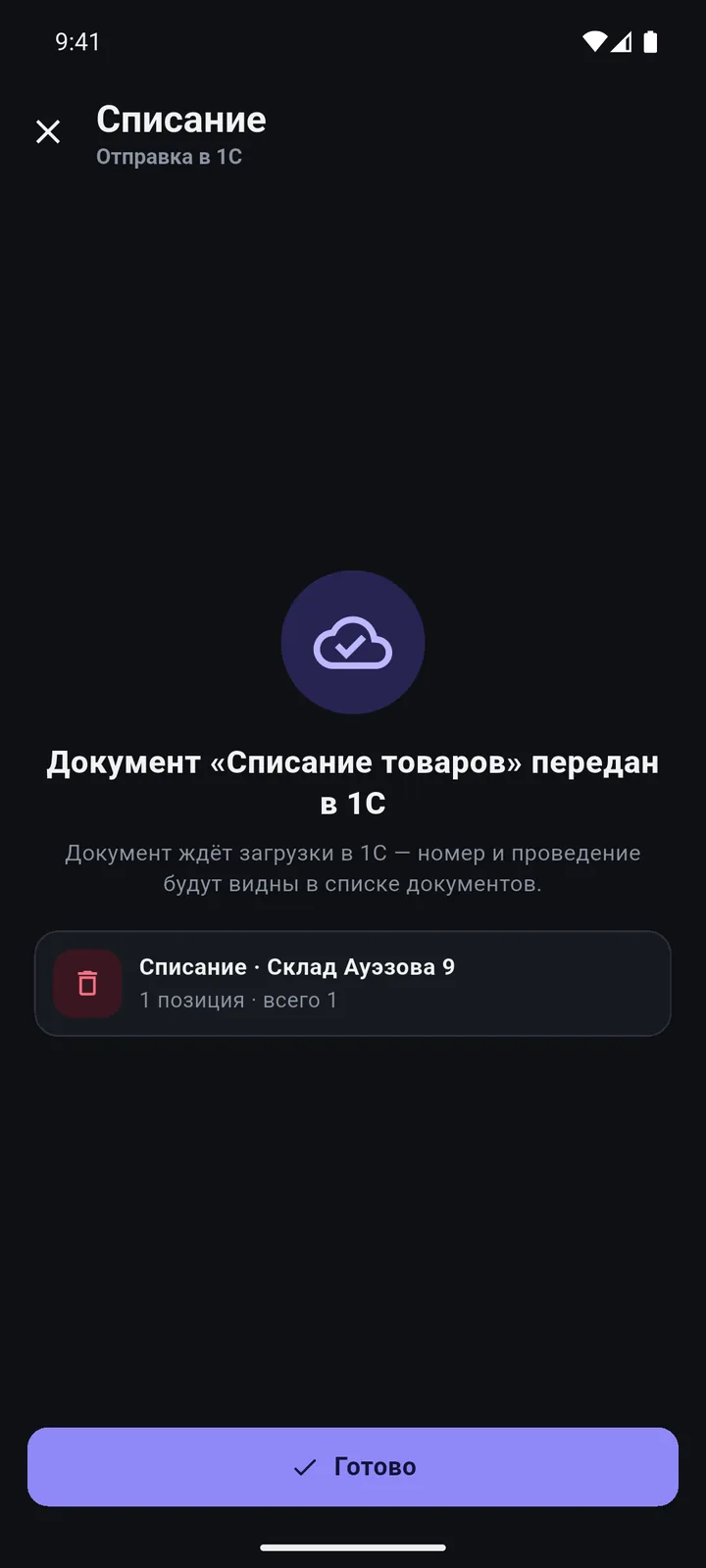
The phone works with your 1C directly. You see what was sent, what was posted and what was not — and why.
Screens
In detail
- The 1C extension is published on a web server on your local network — no exchange files.
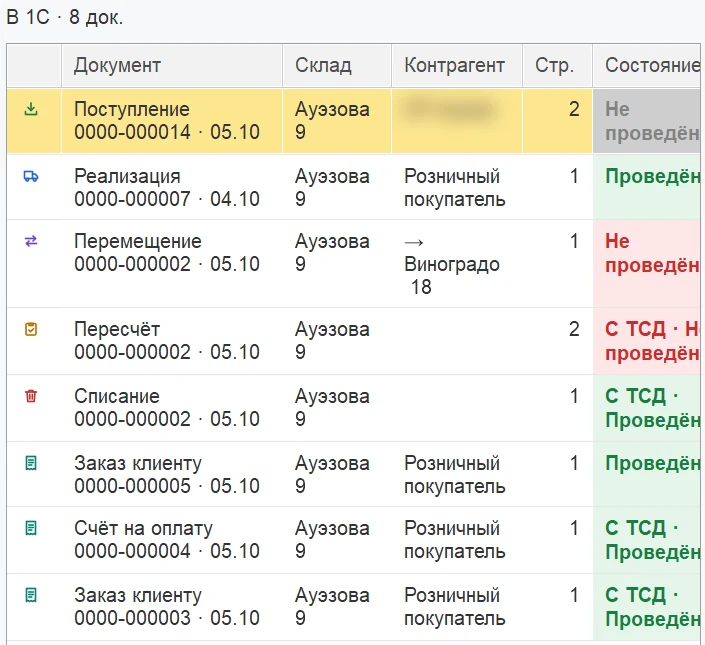
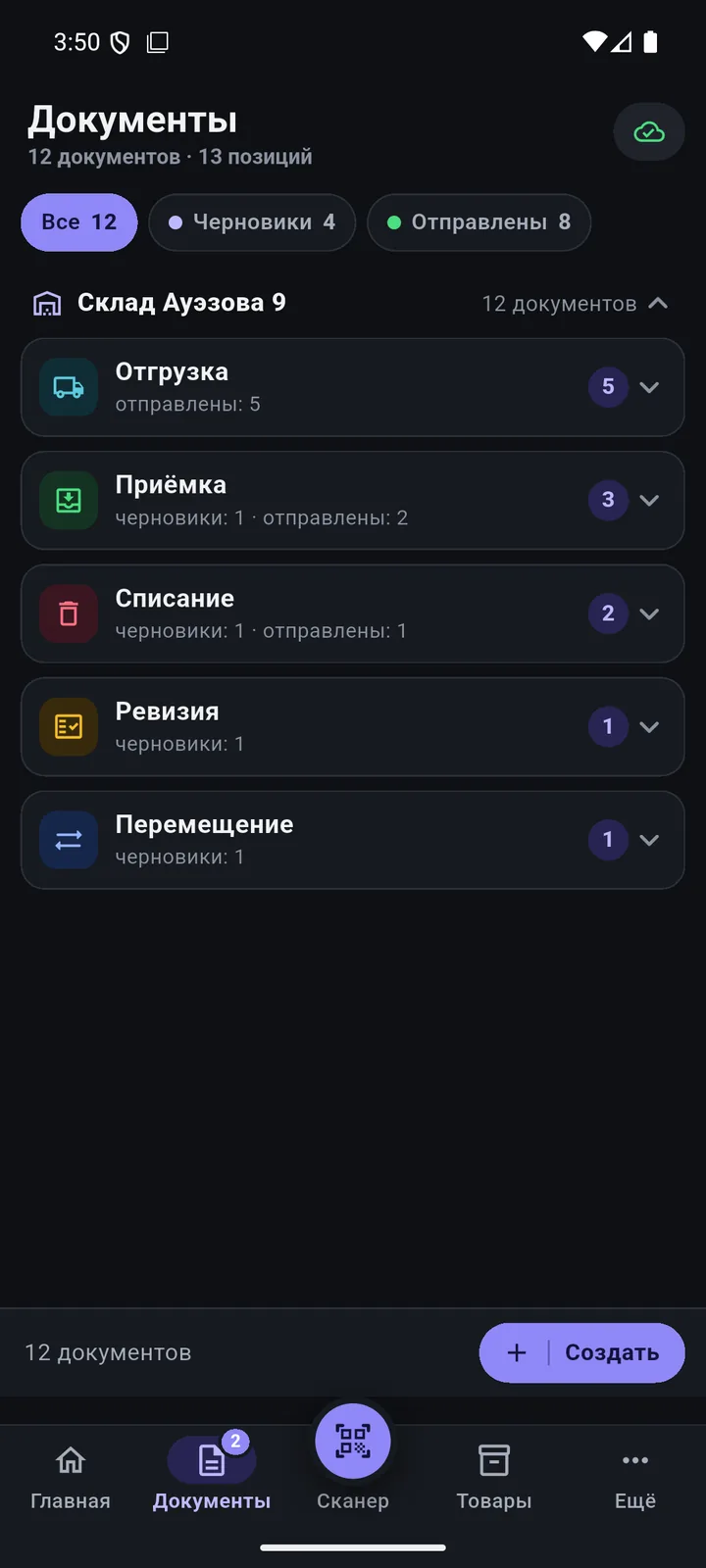
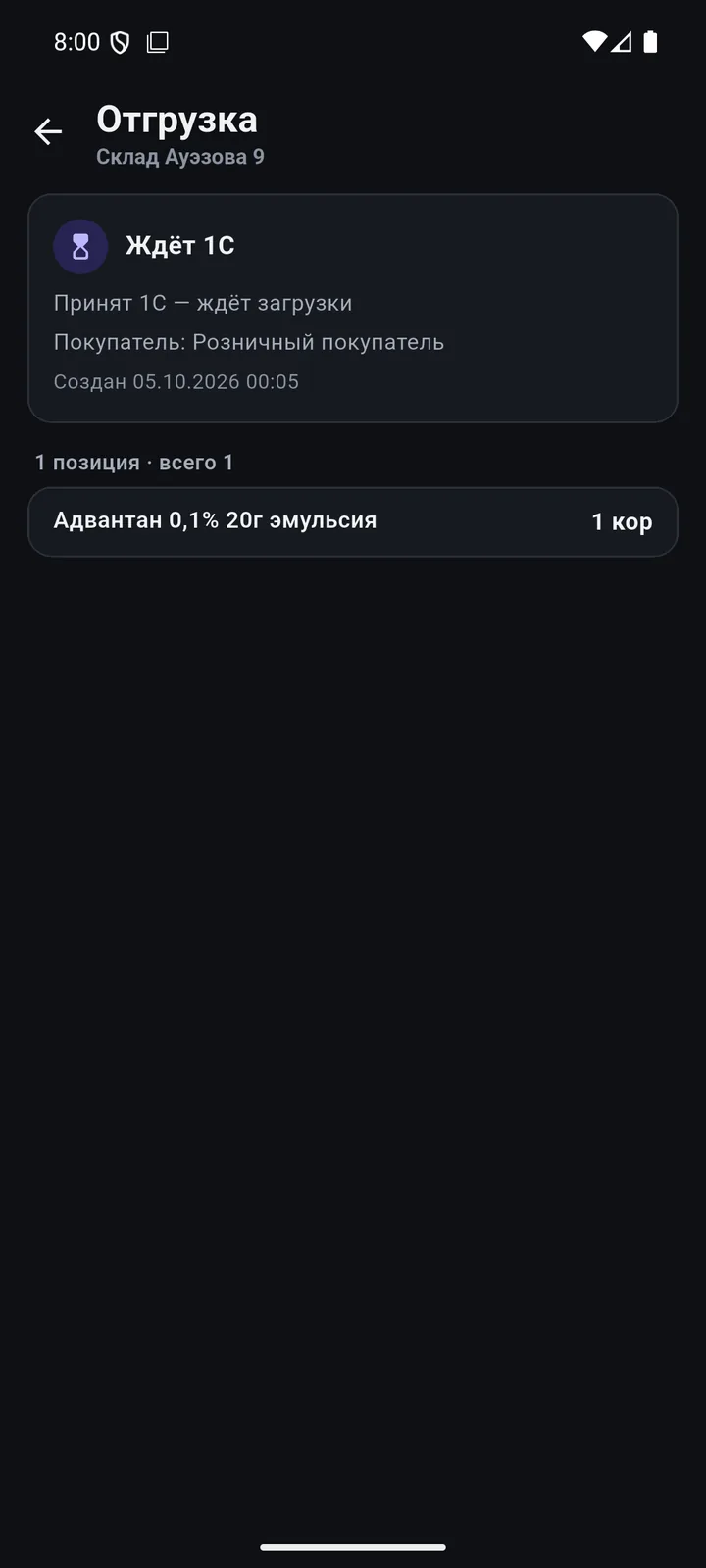
- Document states: “waiting to load”, “posted”, “not posted: reason”, “waiting to send”, “error”, “conflict”.
- “Send all” for documents that have piled up.
- The phone checks task statuses on its own, once a minute.
- A console in 1C: who is online, who is on shift, documents, errors, licenses and a “Support report”.
How it works
Phone Local network TSD Documents Posted
-
One tap — and it’s in 1C
Double-send protection: a document gets into 1C exactly once.
-
“TSD Documents” in 1C
Load, post, re-post — with a log of reasons.
-
You decide how to post
Manually, straight into the source document, or “create and post” in one go.
-
Statuses on the phone
Waiting to load, posted, not posted — with the reason.
-
No network — no problem
The document waits in the queue and goes out as soon as the network is back.
1C exchange
Questions
Do I need internet?
Not for the exchange: the phone and 1C talk over your local network. Internet is needed for the license check and catalogue search.
Can I work from another city?
Out of the box, only within the local network. Your administrator can set up external access separately.
Other features
Scanner & searchPoint and see it all Product card & photosThe whole product card — on your phone New product & catalogueA new product in 5 steps — with a catalogue code Documents at the shelfBuild documents right at the shelf Order, invoice & quoteThe customer is at the shelf — and already has the invoice ReportsRevenue and margin — on the owner’s phone Permissions & sign-inEveryone sees only what they need LearnAny employee can pick it up PricingPay for devices, not for features
We’ll show it on your 1C
Leave your number — we’ll call you back, answer your questions and help with installation.
- +7 777 156 5103
- info@1s-expert.kz