1C documents from a terminal: receipts, counts, orders
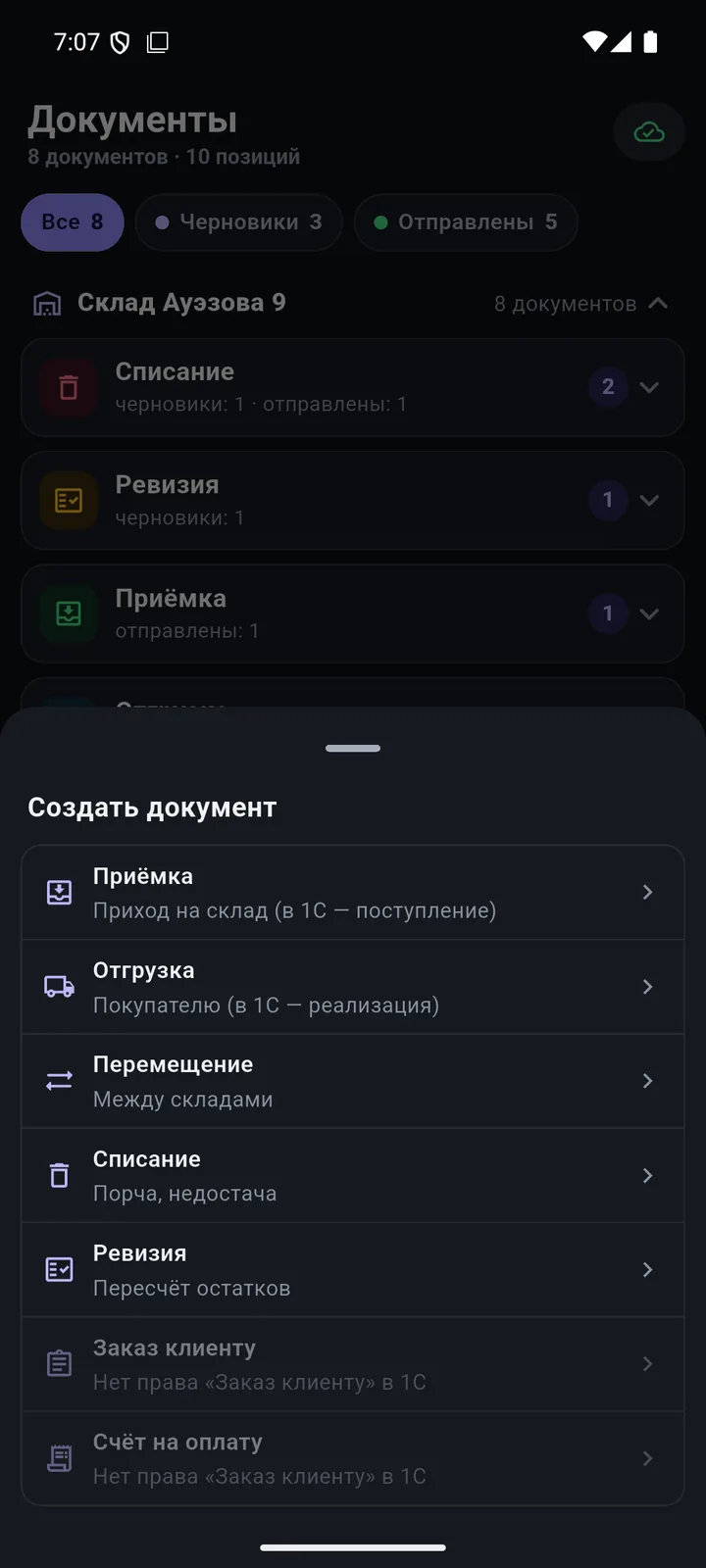
Goods receipt, shipment, transfer, stock count, write-off. Scan products — the document goes to 1C.
Screens
In detail
- Goods receipt → «Поступление товаров», shipment → «Реализация товаров», transfer, stock count → «Пересчёт товаров», write-off (beta).
- Supplier orders, customer orders and invoices appear for employees who have the permission in 1C.
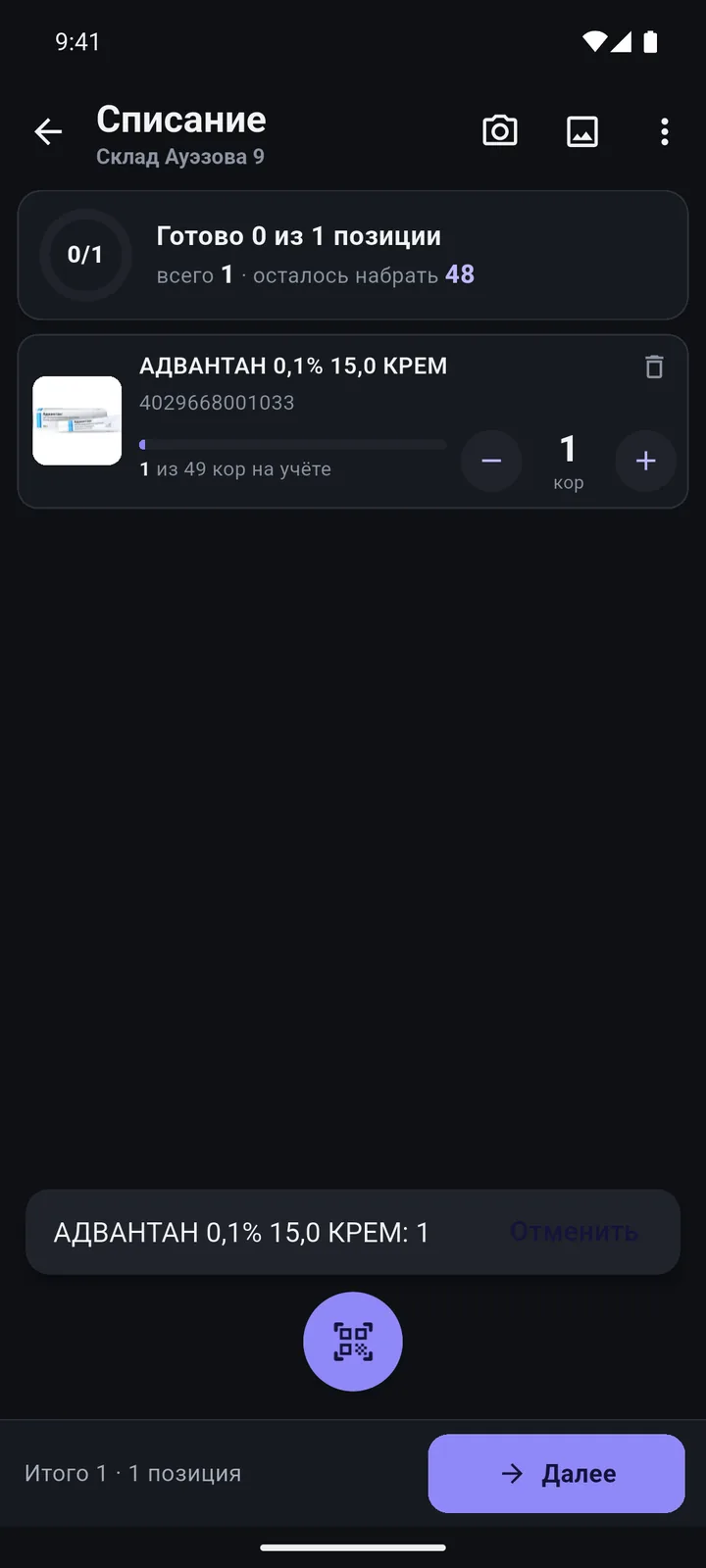
- Last scanned line on top, “−/+”, manual entry, “Pick from catalogue”; the line turns red if you exceed stock or the plan.
- Tasks from 1C: the document is sent to the terminal and staff see “N of planned”; if someone else has taken it — “In progress by …”.
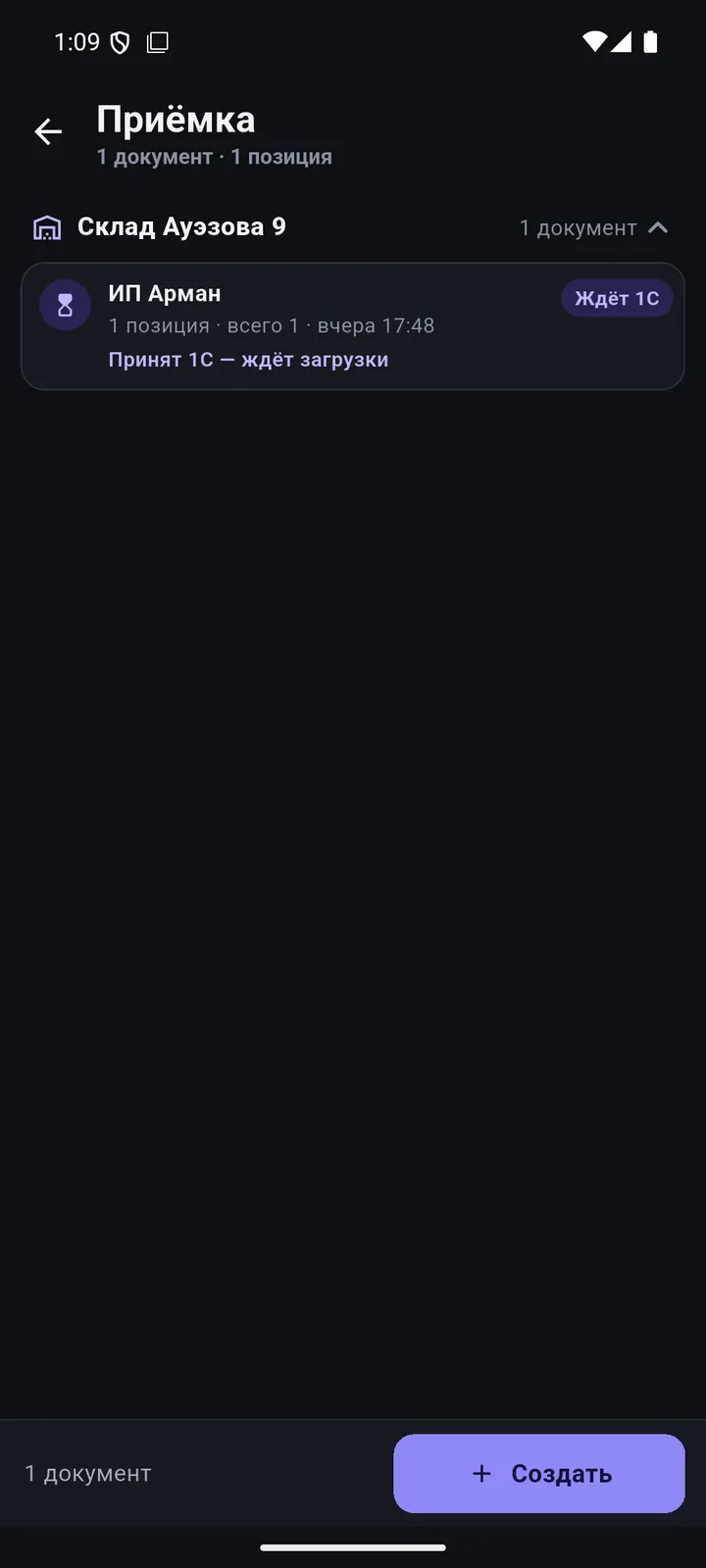
- Offline, the document gets the “Waiting to send” status and goes out on its own, exactly once.
- Soon: returns, kitting, put-away, document archive.
How it works
-
8 document types
From the menu, the “Scanner” list, selected products or straight from a report.
-
Goods receipt from a supplier
Pick the warehouse and supplier, scan the items — status: “waiting for 1C”.
-
“Done N of M” progress
The line turns red and beeps if you exceed stock or the plan. Drafts save automatically.
-
Tasks from 1C
A document from 1C arrives on the terminal: scan to plan, with “over plan” and “not in plan” marks.
-
Review and send
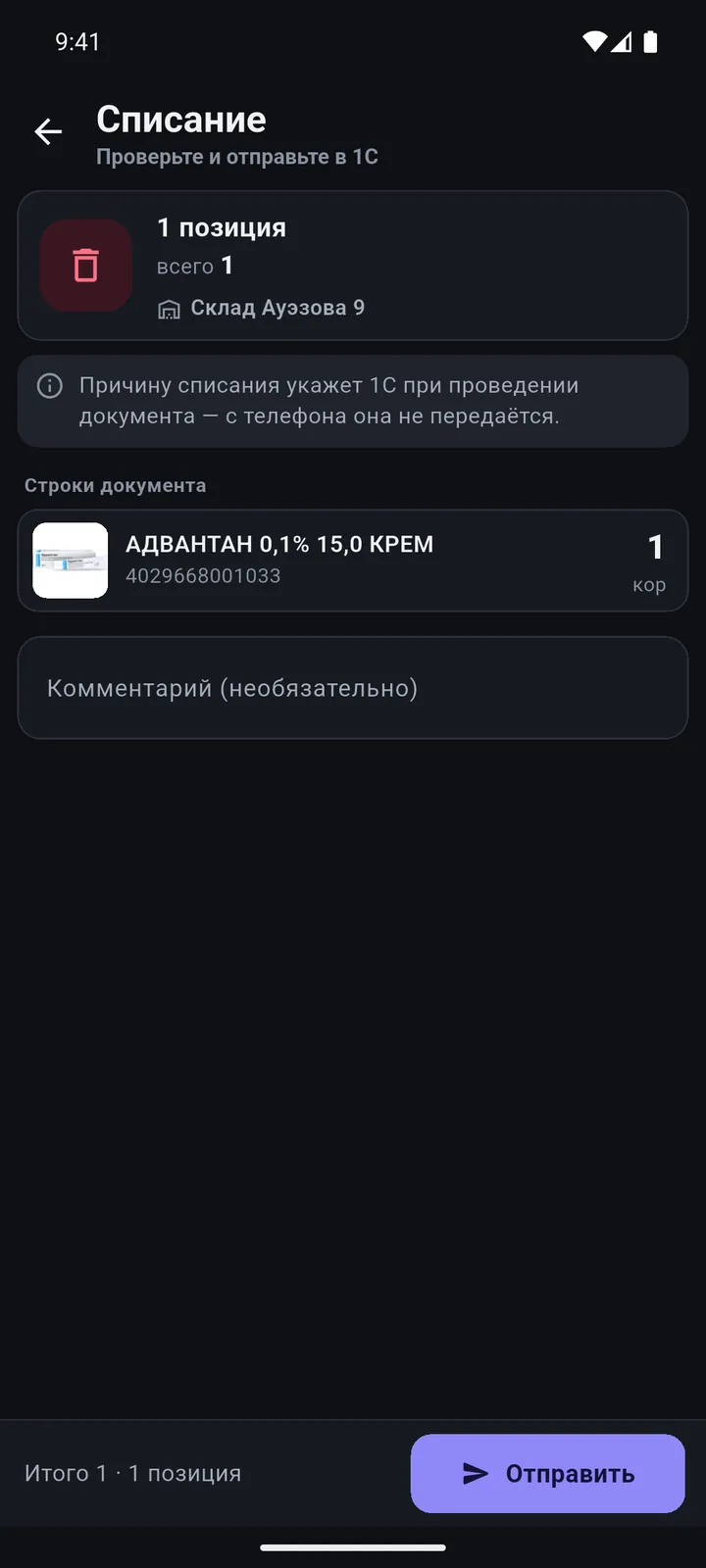
Warehouse, items, total — and one “Send to 1C” button.
Questions
Is the document posted automatically?
It’s up to your 1C settings: manually by an administrator, straight into the source document, or “create and post” in one go. By default, the document waits to be loaded.
Why “Beta”?
Warehouse documents work and have been tested on test databases; the label stays until checks with our first customers are complete.
Other features
We’ll show it on your 1C
Leave your number — we’ll call you back, answer your questions and help with installation.
- +7 777 156 5103
- info@1s-expert.kz